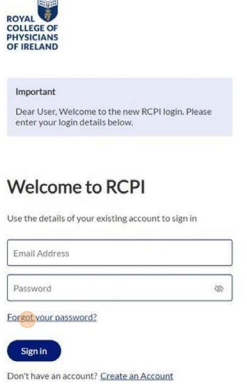
1. Navigate to https://www.rcpi.ie/myaccount
2. Click 'Forgot your password?' under the password field
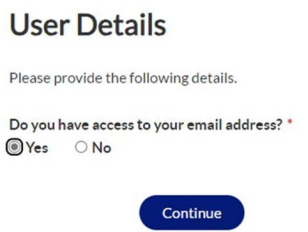
3. You will be asked if you have access to your email address. Please select an option and click Continue
4. If yes you will be asked to enter your Email address and click Send Verification Code to receive an email to that address.
Please check your Junk/Spam folder as the code may get sent there.
5. Once you have that code from the email enter it in the field on the screen and click Continue
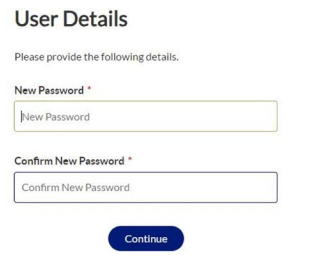
6. Once this is complete you will be asked to enter a new password. Once you have done this click Continue to be brought back to the RCPI site.
Was this article helpful?
That’s Great!
Thank you for your feedback
Sorry! We couldn't be helpful
Thank you for your feedback
Feedback sent
We appreciate your effort and will try to fix the article