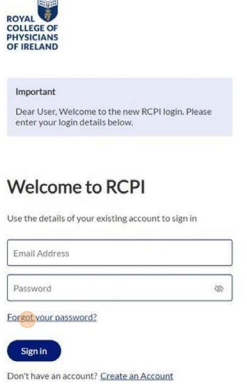
1. Navigate to https://www.rcpi.ie/myaccount
2. Click 'Forgot your password?' under the password field
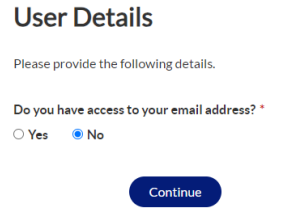
3. You will be asked if you have access to your email address. Please select the 'No' option and click Continue
4. Enter old email address and phone number
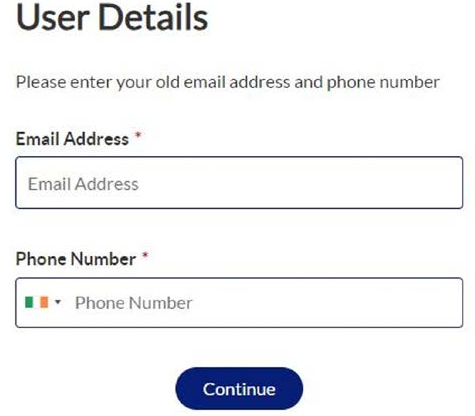
A verification check will be completed to ensure that an account with that email address and mobile number exists
If it does not exist, you will be prompted to contact helpdesk@rcpi.ie where a member of the team will be able to help
5. If your account does exist, you will have to verify the mobile number that you entered
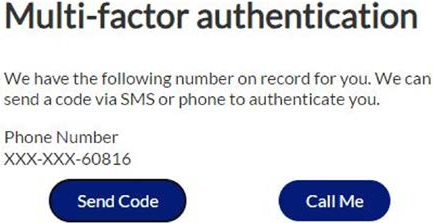
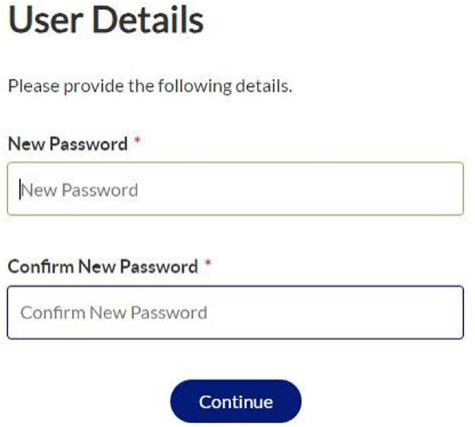
6. Once you have completed this step and verified the mobile number you will be asked to create a new password
Was this article helpful?
That’s Great!
Thank you for your feedback
Sorry! We couldn't be helpful
Thank you for your feedback
Feedback sent
We appreciate your effort and will try to fix the article